
I Tested Hermes AI Agent for 10 Days — Here’s What ChatGPT Can’t Do
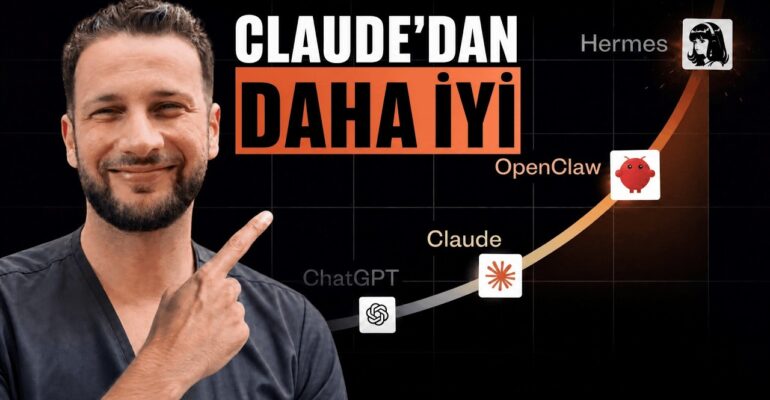
I Tested Hermes AI Agent for 10 Days — Here’s What ChatGPT Can’t Do
 admin
admin Most people are using AI wrong. They open ChatGPT, ask a question, get an answer, close it. Tomorrow, they do the exact same thing. That’s not using a tool — that’s standing at a workbench hammering the same nail over and over again. I did this for years. But two weeks ago, everything changed.
I saw a tweet with 3 million views. Nous Research had released an open-source AI tool called Hermes Agent. At first, I didn’t think much of it — every week there’s a new AI promising to revolutionize everything. But this one was different. I checked GitHub: over 23,000 stars in just 2 weeks. By week 7, it hit 100,000 stars. No AI agent in GitHub history had grown this fast. I sat down, tested it, and I’ve been using it for 10 days now. And I need to be straight with you: this doesn’t behave like ChatGPT, Cursor, or Claude. Because Hermes remembers you.
Key Takeaways
- Persistent memory: Hermes remembers who you are, what you do, and your projects — permanently
- 24/7 operation: Runs on a $5 VPS server, works even when your laptop is off
- Multi-platform access: Control via Telegram, Discord, Slack, WhatsApp, and 11 other platforms
- Skill learning: Saves solutions as “skills” and improves with each repetition
- Sub-agents: Parallel AI workers that can be specialized and coordinated
- Setup time: Approximately 10 minutes for basic installation
- Cost: Open-source, MIT licensed, and free to use
Why Hermes Feels Like Hiring an Employee, Not Using a Tool
The first thing that struck me was the memory. With ChatGPT, every conversation starts from zero. With Hermes, I tell it once who I am, what I do, and what I’m working on. The next day, I don’t need to repeat anything. It just knows.
Here’s a concrete example from my testing. I told Hermes: “Every morning at 9 AM, send me the top-selling products on eBay UK via Telegram, formatted as a report.” That’s it. One instruction. Now every morning, the report arrives. While I sleep, a system running on a $5 server works like a machine. This isn’t a chatbot — it’s a persistent employee that learns your business.
The second critical difference: Hermes doesn’t live on your laptop. It lives on a server. I configured mine on a cheap VPS. I can close my laptop, go out, and still send commands from my phone. “Post this week’s content to YouTube, push my eBay sales.” Two weeks later, normal response. The agent keeps working.
How the Skill System Creates Compound Returns
This is where Hermes diverges fundamentally from every other AI I’ve tested. When Hermes solves a problem, it saves that solution as a “skill.” The second time it encounters the same task, it doesn’t start from scratch — it continues from where it left off. By the third, fourth, tenth time, it’s faster and better.
I need to be honest: this sounds simple when I say it, but when you actually experience the difference, it changes your perspective on what AI can do in your business. You’re no longer renting a tool by the conversation. You’re building an asset that appreciates.
In my 10-day test, I watched Hermes develop approximately 149 skills in my dashboard. Tasks that initially took several minutes of back-and-forth now execute automatically. The agent maintains a Kanban-style memory system that tracks what it’s learned and what it’s working on.
Setting Up Hermes: What Actually Works
The basic setup takes about 10 minutes. You copy a command, paste it in your terminal, and the rest runs automatically. You select your AI model — Claude, GPT, Gemini, whatever you prefer — connect your Telegram bot, and it works. Everything is open-source, MIT licensed, and free.
However, I need to flag something important from my testing. Hermes has an extensive skills marketplace where you can download additional capabilities — social media automation, browser control, research tools, API integrations. The temptation is to install everything. Don’t. Each skill consumes tokens and storage. I made this mistake early: loading too many skills clogged my system. Be selective. Install only what you’ll actually use.
For API access, I tested the Opera Router option. In just 5 minutes of use, it burned through $10 worth of tokens. My recommendation: use the free tier models, or filter for “free” options in the model selection. This keeps costs manageable while you’re learning the system.
Sub-Agents: The Feature That Changes Everything
The most powerful aspect of Hermes, in my view, is the sub-agent system. You can create parallel AI workers under your main agent, each with different specializations. But here’s what most people get wrong: you need to run these in the correct mode — discovery, activation, and execution.
First, the research agent finds and develops its own capabilities using its existing skills. This self-improvement loop is genuinely different from anything I’ve seen in other platforms. Then you activate the specific skills needed, and finally execute. I’ve seen hundreds of people online burning tokens because they skip these steps and don’t understand what their agents are actually doing.
In my own setup, I configured separate sub-agents for: morning eBay research, weekly analytics analysis, YouTube content research, and other business tasks. Each runs on its own schedule, reports back via Telegram, and improves its performance over time.
Security and Practical Considerations
When setting up Telegram integration, create your bot token through BotFather and never share that API token externally. This maximizes your security. I also recommend running Hermes on a virtual server rather than your local machine if you’re loading heavy browser-automation skills — this prevents performance degradation on your main computer.
For those who prefer not to use the terminal, Hermes Desktop now exists. You download it as a standard Mac application and run everything through a graphical interface. The functionality is identical — it’s simply a different access method.
What I Honestly Think After 10 Days
Hermes is not perfect. The setup requires more technical comfort than ChatGPT. You need to understand tokens, API keys, and basic server concepts. The documentation, while extensive, assumes some technical background. And if you’re careless with skill installation or model selection, costs can escalate quickly.
But the fundamental architecture is correct. Persistent memory, skill accumulation, server-based operation, and multi-platform access — these aren’t features, they’re a different category of tool. Where ChatGPT is a brilliant conversationalist you meet anew each time, Hermes is a colleague who learns your business and works continuously.
I’ve been following AI developments closely, and I’m among the first in Turkey to test and document this tool. The industry hasn’t fully recognized what’s happening here yet. The growth metrics — 100,000 GitHub stars in 7 weeks — suggest the developer community sees it clearly.
FAQ
How much does Hermes cost to run?
The software itself is free and open-source under MIT license. You’ll need a server (approximately $5/month for a basic VPS) and API access to an AI model. Free tier models are available; paid models vary by usage. In my testing, careless model selection cost $10 in 5 minutes, while careful configuration runs for minimal cost.
Do I need coding skills to set up Hermes?
Basic setup takes about 10 minutes and requires copying commands into a terminal. For non-technical users, the community provides step-by-step guides, and you can paste instructions into AI assistants like Claude to generate setup commands. A desktop application is also now available for Mac that eliminates terminal use.
How is Hermes different from ChatGPT or Claude?
Unlike conversational AIs, Hermes features persistent memory (remembers your identity and projects permanently), runs continuously on servers (works when your devices are off), learns and saves skills that improve with repetition, and operates across 15+ platforms including Telegram, Discord, Slack, and WhatsApp.
What are the main risks or downsides?
Token costs can escalate if you use premium models or install excessive skills. The system requires more technical setup than consumer AI tools. Skill bloat — installing too many capabilities — can slow performance. And as with any server-based system, API token security is your responsibility.
Conclusion
After 10 days of testing Hermes, I’m convinced this represents a genuine evolution in how solo entrepreneurs and small teams can leverage AI. Not as a smarter chatbot, but as a persistent, learning system that operates continuously across the platforms you already use.
The setup investment — roughly 10 minutes plus learning time — pays dividends in automated workflows that improve themselves. My morning eBay reports, weekly analytics, and content research now run without my involvement, getting slightly better each cycle.
If you’re currently using AI by opening and closing the same chat window daily, you’re hammering that same nail. Hermes offers something different: building a machine that remembers, learns, and works while you focus elsewhere. It’s not guaranteed income or effortless automation. It requires thought, configuration, and ongoing management. But in my direct experience, it’s the most capable open-source AI agent available today, and its growth trajectory suggests I’m not alone in that assessment.
Watch the full video (in Turkish — English subtitles available):
Tools & Community
- TurkoLister — the AI listing tool I use to turn Amazon products into optimized eBay UK listings in about 60 seconds (from £4.99/month, £1 one-week trial).
- AI & E-commerce Community — my Turkish-speaking community ($19/month) with weekly live sessions.
- Subscribe on YouTube — new experiments every week.
Free guide + training
Enjoying this guide? Get the free AI Automation Playbook
Join readers receiving one practical AI & online-business playbook from our sister academy Okyanusi — the team behind Digital Market Mentoring. Free PDF, instant access after email confirmation.
Want the full step-by-step training? Explore Okyanusi courses →