
I Made Viral AI Podcast Videos for $0 — Here’s the Exact 4-Step System
I Made Viral AI Podcast Videos for $0 — Here’s the Exact 4-Step System
 admin
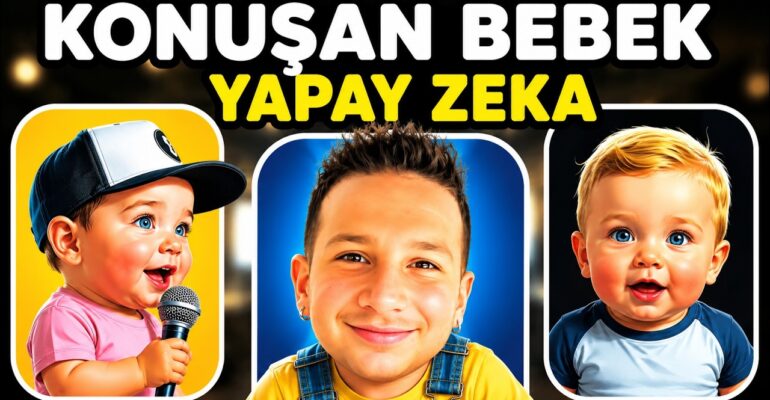
admin I’ve been watching a bizarre trend explode across social media: celebrity “kid podcast” videos pulling 16 million, 30 million, even more views. The format is simple — famous people reimagined as children, sitting in podcast setups, having conversations. At first, I dismissed it as another fleeting meme. Then I started asking: could someone with zero budget, zero following, and zero video skills actually build this?
I decided to find out. Over the past few weeks, I tested the complete workflow myself — from generating the AI child avatar to automating distribution across platforms. What I discovered surprised me: the entire pipeline can be built with free tools, though it requires patience and a willingness to iterate. Here’s exactly what I learned, step by step.
Key Takeaways
- Four free tools power the entire workflow: ChatGPT for image generation, 11 Labs for voice cloning, Hedra for lip-sync video creation, and Repurpose/Tacha AI for distribution.
- 30+ million views are being captured by simple “kid podcast” videos of celebrities — the format is proven but still replicable.
- 11 Labs delivers the best free voice cloning quality I tested for personal or celebrity voice replication.
- Hedra generates 30-second lip-sync videos for free — enough for short-form content on TikTok, Instagram Reels, and YouTube Shorts.
- Automation is the real multiplier: I personally shared nearly 10,000 videos using AI tools, saving approximately 1,531 hours of manual work in one year.
- The 9:16 vertical format is non-negotiable for Instagram and TikTok optimization.
Step 1: Creating Your AI Child Avatar with ChatGPT
The foundation of these videos is the visual hook — a child version of yourself, a celebrity, or any figure with audience recognition. I started by uploading my own photo to ChatGPT and prompting it to generate a child version of me in a podcast setting.
Disclosure: this post contains affiliate links. If you buy through them, I may earn a commission at no extra cost to you — I only recommend tools I have tested.
Recommended for this topic
InVideo — AI video generator with stock footage and voiceovers — built for faceless channels.
Blotato — AI social scheduler for repurposing video into posts.
What came back was… interesting. The AI produced a child avatar that vaguely resembled me, though I can confirm my actual childhood looked nothing like this polished podcast host. That’s not the point, though. These videos work because they create cognitive dissonance — familiar faces in unfamiliar, slightly absurd contexts.
Here’s what I learned about optimizing this step:
- Upload a clear, well-lit photo — the AI struggles with poor source material
- Request specific camera angles and framing — you can ask for zoom variations, different perspectives, or specific “angles” to get options
- Celebrity photos work best for viral potential — I analyzed trending videos and found most used recognizable public figures
If you want maximum reach, research which celebrities or personalities are currently trending, then create their child versions. The transcript shows these videos hitting 16 million and 30 million views — the audience recognition factor is massive.
Step 2: Cloning Voices with 11 Labs
This is where the video gains its personality. I tested 11 Labs extensively against other voice cloning tools, and I keep returning to it for one reason: quality at the free tier. The speech synthesis captures nuances that cheaper alternatives miss.
For my test, I cloned my own voice and also experimented with generic voices like “Rachel.” The process is straightforward: upload or record voice samples, then type your script. 11 Labs generates the audio file you need for the next step.
Important technical notes from my testing:
- Voice cloning requires sample audio — the more clean samples you provide, the better the match
- Adjust settings for pacing — I found the default “General Speech” setting sometimes rushed delivery; fine-tuning produces more natural results
- Two-person podcasts need separate voice files — if you’re creating a conversation format, generate each speaker’s lines individually
I also discovered you can write scripts where two personalities interact — say, two pop stars discussing a topic. ChatGPT can generate the dialogue, then you clone each voice separately and combine them in editing.
Step 3: Animating with Hedra (The Critical Lip-Sync Step)
This is where static image and audio become video. Hedra, in my testing, produced the most convincing free results for lip-sync animation. The workflow: upload your audio file, upload your AI-generated child image, and Hedra animates the mouth movements to match.
Technical constraints I encountered:
- 30-second limit on free videos — this defines your content structure
- 9:16 aspect ratio is essential for Instagram Reels and TikTok; I learned this the hard way after creating landscape versions that underperformed
- Background audio can be removed or modified — clean audio produces better results
I generated a test video of approximately 32 seconds, then trimmed to optimize. The preview function lets you verify audio before committing to generation, which saves time.
For longer content, you chain multiple 30-second segments together in editing. I used CapCut for this — it’s free and handles the simple concatenation these videos require.
Step 4: Distribution and Automation
Creating the video is half the battle. Getting it seen is where most people fail. I tested two approaches:
Manual Distribution (Free but Time-Intensive)
Upload directly to TikTok, Instagram, YouTube Shorts, and other platforms. Effective but repetitive. Each platform has slightly different optimal posting times, hashtag strategies, and audience behaviors.
Automated Distribution (My Preferred Method)
I integrated Repurpose and Tacha AI into my workflow. These platforms — which I include in resource lists I share with my community — automatically distribute content across thousands of platforms from a single upload.
The time savings are substantial. Based on my own analytics, I’ve shared nearly 10,000 videos using automated systems, which translates to approximately 1,531 hours of manual work eliminated in one year. That’s the equivalent of working 40 hours per week for 38 weeks — automated.
For complete hands-off operation, tools like n8n can orchestrate the entire pipeline: trigger when new content is ready, process through each tool, and publish automatically.
Two Approaches: Free vs. Paid
I deliberately tested both paths. The free version works — I confirmed this myself — but requires patience. Each 30-second Hedra video takes generation time. Each voice clone needs refinement. The paid tools accelerate this, but the output quality difference isn’t always proportional to cost.
My recommendation: start free, validate your concept with real audience data, then invest in paid tiers only when you have proof of concept. The transcript emphasizes this flexibility — the free version is “biraz daha flexible” (a bit more flexible) in my experience because you’re forced to be creative within constraints.
FAQ
Can I really do this completely for free?
Yes, the core workflow uses free tiers of ChatGPT, 11 Labs, Hedra, and CapCut. The trade-off is time — free tiers have usage limits and generation queues. I personally built functional videos without spending anything.
How long does one video take to create?
My first video took approximately 2 hours including learning curve. With practice, I reduced this to 30-45 minutes for a simple single-speaker video. Two-person podcast formats take longer due to script generation and separate voice file creation.
Do I need to show my real face or use my real voice?
No. The entire format works with AI-generated avatars and cloned or synthetic voices. I tested with my own photo and voice, but you can use entirely fictional or celebrity-based characters. The transcript shows examples using both personal and celebrity approaches.
What content works best for these videos?
Based on my analysis of trending videos, the most successful formats are: celebrity interviews reimagined as children, humorous takes on serious topics, and nostalgic conversations. I recommend using ChatGPT to generate scripts — you can even use the “surprise me” function for random concepts, though directed prompts produce more cohesive results.
Final Thoughts
This trend won’t last forever. The 30-million-view videos I analyzed represent a specific moment in platform algorithms and audience attention. What persists, however, is the underlying lesson: AI tools have collapsed the cost of professional-looking video production to zero.
I didn’t build this system to chase a single trend. I built it to understand what’s now possible — and to share that knowledge with others who want to test these tools themselves. The 1,531 hours I saved through automation last year isn’t a promise of what you’ll achieve. It’s simply what happened when I applied consistent effort to learning and implementing these systems.
The tools are there. The distribution channels exist. What remains is the willingness to start, iterate through imperfect outputs, and persist long enough to find your version of what works.
Watch the full video (in Turkish — English subtitles available):
Tools & Community
- TurkoLister — the AI listing tool I use to turn Amazon products into optimized eBay UK listings in about 60 seconds (from £4.99/month, £1 one-week trial).
- AI & E-commerce Community — my Turkish-speaking community ($19/month) with weekly live sessions.
- Subscribe on YouTube — new experiments every week.
Free guide + training
Enjoying this guide? Get the free AI Automation Playbook
Join readers receiving one practical AI & online-business playbook from our sister academy Okyanusi — the team behind Digital Market Mentoring. Free PDF, instant access after email confirmation.
Want the full step-by-step training? Explore Okyanusi courses →